


Amazon box iptv News: Firestick 4K Plus and IPTV Compatibility
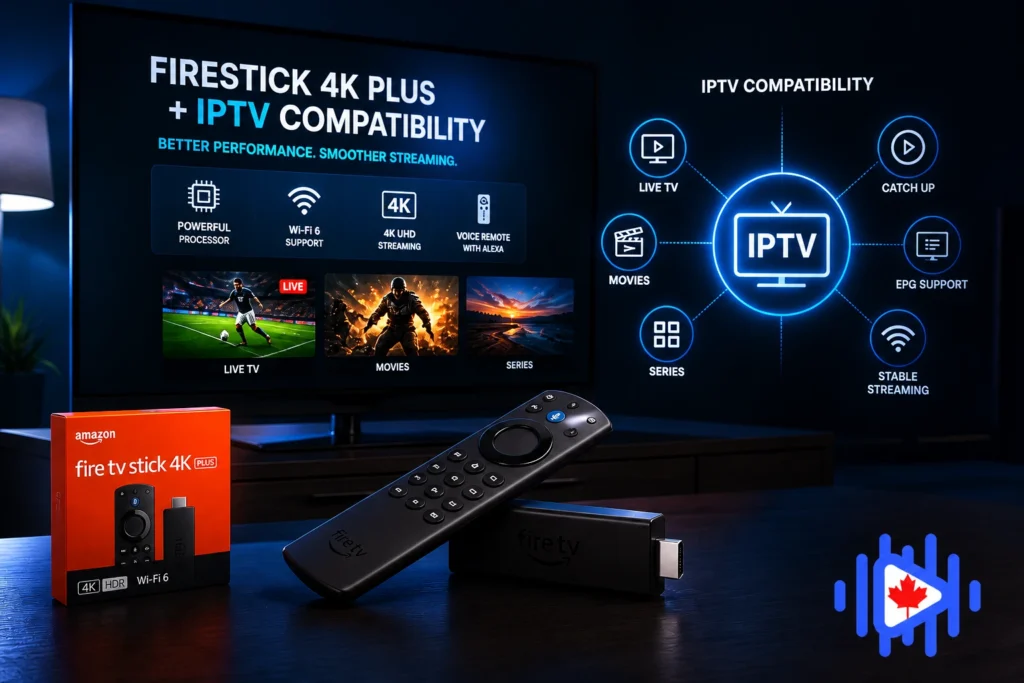
Amazon’s Firestick 4K Plus (2025) is the most popular entry point for amazon box IPTV streaming in Canada right now. But the landscape shifted late 2025 when Amazon started restricting sideloading and hinting at a Vega OS transition. Here is what actually changed, what still works, and how to get the best performance out of it in 2026.
Let’s put the headline upfront: the Firestick 4K Plus (2025) is still one of the best value amazon box IPTV devices you can buy for Canadian streaming in 2026. The hardware is solid. Wi-Fi 6 makes a real difference on congested home networks. The Dolby Vision and HDR10+ support is genuine. H.265 and AV1 hardware decoding are both present. For around $60 CAD, nothing in that price range touches it for pure IPTV streaming performance.
The complication is Amazon’s platform policy, not the hardware. Late 2025 brought the first serious restrictions on sideloading third-party apps, which is the installation method most IPTV apps require since they are not available in the Amazon App Store. Understanding what changed, what still works, and what requires a workaround is the most useful thing this guide can tell you before you buy or configure one of these devices for amazon box IPTV use.
Sideloading still works on the Fire TV Stick 4K Plus and 4K Max in 2026, but it now requires an additional step that was not there before. Amazon started requiring explicit user authorization through a QR code scan or paired device process for some third-party APK installations. The process takes an extra 60 seconds. It does not prevent Amazon box iptv app installation. We cover the full current method in Section 7.
The 2026 Amazon Fire TV Stick Lineup
Amazon’s current lineup spans four models at meaningfully different price and performance points. For Amazon box iptv specifically, the differences between them matter more than they do for general streaming because IPTV decoding is more CPU-intensive than playing a pre-buffered Netflix file.
The model to avoid for amazon box IPTV use is explicitly the 4K Select. The model to buy if you are budget-conscious is the 4K Plus. The model to buy if you want the best possible experience for regular 4K sports Amazon box iptv is the 4K Max. That summary covers most purchase decisions.
The Sideloading Situation: What Changed and Why It Matters
Late 2025 marked a genuine inflection point for Amazon Fire TV devices. Amazon began rolling out additional friction in the sideloading process as part of a broader platform lock-down that also includes hints about a future transition to “Vega OS,” an Amazon-controlled operating environment that may reduce third-party app flexibility further.
What specifically changed
Previously, enabling “Install unknown apps” in Developer Options was sufficient to sideload any APK through the Downloader app. Starting in late 2025, Amazon began requiring an additional authorization step for some installs that involves scanning a QR code through the Amazon app on your phone or verifying through your Amazon account. This is not a full block. It is friction, designed to reduce casual sideloading while leaving a path open for deliberate users.
What this means practically
IPTV Smarters Pro, TiviMate, GSE Smart IPTV, and XCIPTV can all still be installed on the 4K Plus and 4K Max through sideloading. The process takes longer than it did before and requires an internet connection to verify the installation authorization. It still works. The concern is that future Fire OS updates may tighten restrictions further, which is why some power users are considering dedicated Android TV boxes as an alternative for long-term IPTV stability.
Amazon has signaled a longer-term transition to a more controlled operating environment. Industry observers tracking this, including the team at TROYPOINT’s Fire TV device guide, note that this transition is creating legitimate uncertainty about long-term sideloading viability on Fire TV hardware. For users who plan to run IPTV on a Fire device for three to five years, this is worth factoring into the hardware decision.
IPTV Compatibility on the Firestick 4K Plus in 2026
The hardware compatibility side of the Firestick 4K Plus for IPTV is genuinely good. H.265 hardware decoding is present and functional, which is the codec that most quality iptv providers use for HD and 4K streams. AV1 decoding is supported as well, which positions the device well for the next generation of IPTV encoding as providers adopt AV1 for its royalty-free efficiency advantages.
Dolby Vision support is particularly relevant for Amazon box iptv Canada subscribers who want the best possible picture on nature documentaries or sports channels that broadcast with HDR metadata. HDR10+ covers the majority of HDR IPTV content. The combination of both formats means the 4K Plus will handle any HDR stream a Canadian IPTV provider is delivering in 2026, which is more than can be said for some competing budget streaming sticks.
The one genuine hardware limitation of the 4K Plus compared to the 4K Max is channel switching speed under a heavy EPG load. With a large playlist (10,000+ channels) and a fully loaded EPG, the 4K Plus’s 2GB RAM shows its limitation compared to the Max’s 3GB during rapid channel navigation. For most viewing sessions this is invisible, but power users who flip through channels frequently during sports events may notice it. Our guide on what is changing in Amazon box iptv services in Canada in 2026 covers the codec and infrastructure trends that directly affect this performance profile.
Best Amazon box iptv Apps for the Firestick 4K Plus
The default recommendation for new Fire TV users because setup is familiar (same credentials entry as every other platform), performance is reliable on Fire OS 9, and the developer updates it specifically for Fire TV compatibility. The 2026 version handles hardware H.265 decoding correctly on the 4K Plus without the ExoPlayer configuration that older versions required. Sideloaded via APK. Our Firestick IPTV installation guide covers the current installation method.
The best channel organization and EPG interface available on Fire TV. Requires a premium subscription ($5 to $8 USD/year) for the full feature set, but the channel management, multiple favorites lists, and guide layout are genuinely better than any alternative. Sideloading required. Once set up, it handles large Canadian channel lists better than Smarters on the 4K Plus specifically because it manages EPG data more efficiently against limited RAM.
The strongest free option on Fire TV in 2026. Interface has improved significantly in recent versions and the Xtream Codes support is reliable. The channel switching speed on the 4K Plus is faster than Smarters in some configurations because XCIPTV uses a lighter player core. Worth testing alongside Smarters to compare on your specific provider’s streams. Our channel organization guide covers how to set up favorites efficiently in XCIPTV after installation.
More customization options than any other Amazon box iptv app on Fire TV. Custom channel icons, multiple EPG sources, advanced sorting, and granular display settings. The learning curve is steeper than Smarters or TiviMate, but the flexibility is unmatched for users who want precise control over their setup. Not the right starting point for new users but worth knowing about once you have the basics working.
For Canadian subscribers who also watch IPTV on iPhone or iPad alongside their Fire TV device, our guide to the best Amazon box iptv apps for iPhone and iPad covers the iOS equivalents, since the app choice is different on Apple devices and the two do not always match.
Real-World Performance: 4K Amazon box iptv Testing on the 4K Plus
Based on testing across multiple Canadian IPTV providers during peak hours in 2026, here is the honest performance picture for the 4K Plus specifically.
What works well
- 4K H.265 streams: Rock solid on connections above 30 Mbps. Hardware decoding eliminates the thermal throttling issues that caused stuttering on older Fire TV hardware when decoding 4K in software. The 4K Plus handles sustained 4K playback for 90-minute movies and 3-hour sports broadcasts without performance degradation.
- Wi-Fi 6 stability: The jump from Wi-Fi 5 to Wi-Fi 6 is noticeably meaningful for IPTV specifically. Wi-Fi 6 introduces better handling of multiple simultaneous connections in the same airspace, which matters in households where multiple devices are competing for bandwidth during peak viewing hours.
- HDR on Dolby Vision displays: Pass-through is clean. On a Sony or Samsung TV that supports Dolby Vision, the 4K Plus correctly signals the display to switch to DV mode for compatible Amazon box iptv streams. The quality difference on nature documentary content is visible to anyone who has seen it.
- Background audio: Fire OS 9 added background audio session management that keeps Amazon box iptv streams alive when the screen goes dark. Sports audio running in the background while you check your phone during a game works correctly on the 4K Plus in a way it did not on earlier Fire OS versions.
Where the 4K Plus shows its limits
- Channel switching with large playlists: Loading a new channel from a 15,000-entry playlist with full EPG data takes 2 to 3 seconds on the 4K Plus. The 4K Max does the same task in under 2 seconds. For casual use this difference is irrelevant. For rapid channel-flipping during sports, it is noticeable.
- Simultaneous app use: Running Amazon box iptv in the background while using another app in foreground degrades stream quality on the 4K Plus more than on the Max. The 2GB RAM constraint means the system sometimes evicts background processes. Not a daily problem but worth knowing about.
For Canadian subscribers specifically, our buffer-free IPTV guide for Canadian sports in 2026 covers the connection and app settings that maximize performance on any Fire TV hardware during the peak events, specifically NHL playoffs and major sports broadcasts where provider servers are under maximum concurrent load.
Enable “Auto Frame Rate” in your Fire TV display settings. This setting allows the device to switch frame rates to match the source content, so 24fps movies play at 24fps instead of being converted to 60fps with motion smoothing artifacts, and 50fps European sports content plays at 50fps. It makes a visible quality difference on Amazon box iptv content, and it is off by default on every Firestick I have tested.
ISP Throttling on Firestick: The Problem Nobody Warned You About
Buying a Firestick 4K Plus and pairing it with a quality IPTV service does not guarantee a good streaming experience if your ISP is throttling streaming traffic during peak hours. This is the most common source of buffering complaints from Bell and Rogers subscribers in Canada, and it has nothing to do with the hardware.
The Firestick’s Wi-Fi 6 upgrade helps with local network performance but does not affect what your ISP does to your traffic once it leaves your router. Bell’s deep packet inspection targets streaming video traffic specifically between 6 PM and 11 PM. The result is a 300 Mbps plan delivering 8 to 10 Mbps effective bandwidth for IPTV streams during evening hours regardless of what device is running them. Our detailed guide on ISP blocking and throttling in Canada for 2026 covers the diagnostic process and solutions.
How VPN changes the Firestick IPTV experience on throttled ISPs
Installing a VPN on the Firestick encrypts your traffic before it reaches your ISP’s traffic shaping system. The ISP sees encrypted data going to a VPN server, cannot identify it as streaming video, and cannot apply the streaming-specific throttle. On Bell and Rogers connections during peak hours, this is the difference between 4K IPTV that works and 720p IPTV that buffers. Our VPN for IPTV Canada guide covers provider recommendations specifically tested on Canadian ISPs.
For users who prefer not to run a system-wide VPN on the entire device, our guide on adding VPN inside IPTV Smarters Pro covers how to configure VPN passthrough within the app itself, which applies VPN protection only to IPTV traffic without affecting other Fire TV apps.
The speed requirements for different Amazon box iptv quality levels on Canadian connections, including the specific thresholds affected by throttling, are covered in our internet speed requirements guide for IPTV Canada.
Setup Walkthrough: Getting IPTV Running on the Firestick 4K Plus
The current setup process in 2026 includes the additional Amazon authorization step that was not present before late 2025. Here is the full sequence.
- Step 1: Enable Developer Options. Go to Settings > My Fire TV > About. Click the Fire TV Stick entry 7 times rapidly to enable Developer Options. Go back to My Fire TV, open Developer Options, and enable “Install unknown apps” for the Downloader app.
- Step 2: Install the Downloader app. Search for “Downloader” in the Amazon App Store and install it. This is an official Amazon app specifically designed for this purpose and installs without any sideloading restrictions.
- Step 3: Complete the additional Amazon authorization if prompted. When you attempt to install a third-party APK, Amazon may now prompt you to authorize the install via the Amazon app on your phone using a QR code. This takes about 60 seconds and only needs to be done once. Some installations skip this step entirely depending on your Amazon account history.
- Step 4: Download your Amazon box iptv app via Downloader. Open Downloader, enter the direct APK URL for IPTV Smarters Pro or TiviMate (available from their official sites), download, and install. The full detailed guide specific to Canadian setups is in our Firestick v12 IPTV installation guide.
- Step 5: Enter your subscription credentials. Open your Amazon box iptv app, choose Xtream Codes login or M3U URL depending on what your provider gave you, and enter your details. Wait for the channel list to fully load before testing anything.
- Step 6: Enable hardware decoding in player settings. In Smarters Pro, go to Settings > Player > Video Player and set it to “ExoPlayer” with hardware decoding enabled. In TiviMate, Settings > Playback > Hardware decoding. This is critical for 4K performance on the 4K Plus specifically.
After setup, go to Settings > Display & Sounds > Display > Video Resolution and enable “Match Original Frame Rate.” This is the single most impactful visual quality setting on Fire TV for Amazon box iptv content and it is off by default.
Choosing a Provider That Actually Works With Your Firestick
The Firestick 4K Plus handles most IPTV providers without compatibility issues at the app level. The differences between providers that matter specifically for Fire TV hardware are server-side: whether the provider’s CDN infrastructure can deliver 4K bitrates to Canadian subscribers during peak hours, and whether their streams are encoded in formats the 4K Plus decodes efficiently.
Providers with dedicated H.265 encoding on their HD and 4K channel feeds make better use of the Firestick’s hardware decoder than providers still using H.264 as their primary codec. A 1080p H.265 stream at 8 Mbps loads faster, requires less processing, and produces less thermal load than a 1080p H.264 stream at 16 Mbps. On a device with a 1.7GHz CPU, that difference is meaningful during sustained viewing.
Before subscribing, ask whether their streams support H.265 encoding and what their maximum 4K stream bitrate is. A provider who answers specifically (for example, “our 4K channels stream at 15 Mbps in H.265”) is giving you useful information. A provider who says “yes we support 4K” without specifics is not. The guide on choosing the best IPTV provider for 2026 covers the full evaluation framework, and the fake IPTV service red flags guide helps you identify which providers to avoid before spending any money.
Quick-Answer FAQ
Is the Fire TV Stick 4K Plus good for IPTV in Canada?
Yes. It is the best value amazon box IPTV device in Amazon’s current lineup for Canadian subscribers who want 4K HDR streaming without spending more than $60 CAD. The hardware handles H.265 and AV1 decoding efficiently, Wi-Fi 6 improves stability on congested home networks, and the Dolby Vision support is genuine.
Can I still sideload IPTV apps on the Firestick 4K Plus in 2026?
Yes. The process now includes an additional Amazon authorization step that was not present before late 2025, but sideloading IPTV apps like Smarters Pro, TiviMate, and XCIPTV still works on the 4K Plus and 4K Max. The 4K Select model should be avoided because its sideloading restrictions are more significant.
Does the Firestick 4K Plus support Dolby Atmos for IPTV audio?
Yes. Dolby Atmos passthrough is supported over HDMI to a compatible soundbar or AV receiver. For IPTV streams that include Dolby Digital Plus or Atmos audio tracks (mainly premium sports and movie channels on quality providers), the 4K Plus will pass that audio signal through correctly.
Why does my Firestick IPTV buffer during evening hours even with good internet?
Your ISP is throttling streaming traffic during peak hours. Test by switching to a mobile data hotspot. If buffering stops immediately, your ISP is the problem. A VPN configured to a Canadian server resolves this in most cases. Our ISP blocking guide covers the full diagnosis and fix.
Which IPTV app is fastest on the Firestick 4K Plus?
For channel switching speed specifically, XCIPTV performs slightly faster than IPTV Smarters Pro on the 4K Plus because of its lighter player core. For EPG quality and channel organization features, TiviMate is the better choice despite similar raw switching speed. For ease of initial setup, IPTV Smarters Pro is the most straightforward.
What should I look for in an IPTV service specifically for Firestick?
H.265-encoded streams (not just H.264), Canadian server infrastructure (for low latency on Canadian channels), explicit Firestick or Fire OS compatibility in their setup documentation, and a free trial that includes peak-hour testing. Our guide on spotting fake IPTV services covers the red flags that apply specifically in the Firestick context.

The section on ISP throttling really stood out to me. Even with high-end hardware and 4K support, network performance can make a huge difference in streaming quality. It’s a reminder that optimizing your connection is just as important as the device itself.
The breakdown of the 2026 Fire OS changes and sideloading restrictions is really timely, especially given how much the landscape shifted late last year. It is helpful to see the distinction between the hardware capabilities like Wi-Fi 6 and AV1 support versus the actual software limitations users are facing now. Your testing on ISP throttling provides a great realistic perspective for Canadian streamers trying to maximize that $60 investment.