
Best IPTV Canada Apps for iPhone & iPad: Mobile Streaming Guide
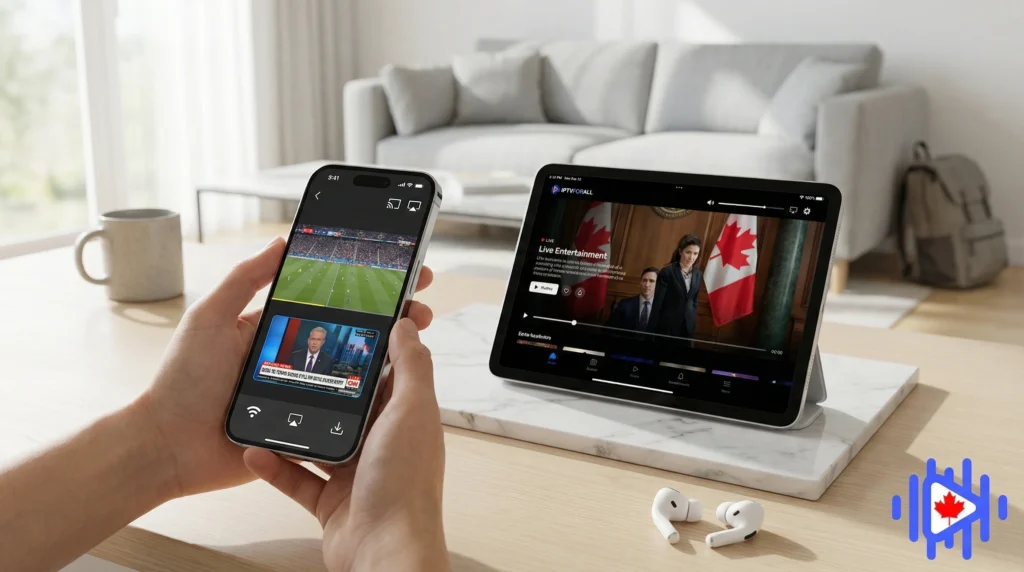
The honest guide to watching IPTV on your iPhone or iPad. Which apps are actually worth installing, which ones look good in screenshots but frustrate in daily use, and how to get stable streams on a Canadian cellular connection.
Most IPTV guides are written with a TV box in mind. Android box, Fire Stick, MAG device, something plugged into the living room television. If you are on an iPhone or iPad, that advice only half-applies because the iOS ecosystem operates by different rules, and the apps that dominate on Android are often unavailable or stripped down on iOS.
Apple’s App Store policies mean that many popular IPTV apps never make it through review. The ones that do tend to be positioned as “media players” or “playlist managers” rather than IPTV clients explicitly, which is why the App Store IPTV search produces surprisingly thin results compared to what Android users find on the Play Store or through sideloading.
That said, iOS has some genuinely good options. GSE Smart IPTV is one of the most capable clients available on any platform, and it works well across iPhone, iPad, and Apple TV. The goal here is to tell you which apps actually work for best IPTV Canada subscribers, and get you set up without the usual trial-and-error frustration.
If you are still figuring out what IPTV is and how it works before choosing an app, the complete IPTV guide for 2026 covers the basics in plain language. This guide assumes you already have a subscription and just need to get it working on iOS.
Why iOS Is a Different Environment for IPTV
On Android, if an IPTV app is not on the Play Store, you can sideload an APK. No App Store review, no Apple policy, no problem. That flexibility is why Android has 30 clients to choose from and iOS has maybe eight that are worth your time.
Apple reviews every app against App Store guidelines before it goes live, and those guidelines are strict about apps that could facilitate access to content without verifiable licensing. This creates a filtering effect where the available apps tend to be either generic media players with IPTV functionality added in, or apps that have learned to frame themselves carefully enough to pass review. Neither description means they are bad. It just means the selection process is different.
Fewer apps pass App Store review, but the ones that do tend to be more polished and more stable than the average Android sideload. Quality floor is higher, ceiling is lower.
iOS apps update through the App Store automatically, which means IPTV app improvements reach you without any manual action. Android sideloaded apps require manual APK updates.
iOS aggressively limits background activity. Live streams can pause when you switch apps or lock your screen unless the app is specifically coded to handle iOS audio session management.
iOS has built-in tools for monitoring and limiting cellular data usage per app. Useful on a metered data plan, but requires some initial configuration to work in your favor.
According to Tom’s Guide’s IPTV app roundup, the App Store selection for IPTV clients is significantly narrower than Android alternatives, a gap that has persisted despite growing demand. In practice that your iOS setup will look different from a friend’s Android one even if you are using the same subscription from the same provider. Same channels, same credentials, different apps and slightly different configuration steps. That is normal. Both work.
Top IPTV Apps for iPhone and iPad
There is a wider range of apps reviewed at best IPTV Canada apps for 2026 covering both Android and iOS options. For iPhone and iPad specifically, these are the ones worth installing in 2026.
| App | Cost | M3U Support | Xtream Codes | EPG | iPad Optimized |
|---|---|---|---|---|---|
| GSE Smart IPTV | Free + IAP | Yes | Yes | Full | Yes |
| IPTV Smarters Pro | Free | Yes | Yes | Full | Partial |
| Flex IPTV | Paid | Yes | No | Full | Yes |
| Mouv IPTV | Free + IAP | Yes | Limited | Basic | Partial |
| iPlayTV | Paid | Yes | No | Full | Yes |
GSE Smart IPTV is the clearest recommendation for most users. It covers every connection method (M3U, Xtream Codes, local file), has the best EPG implementation on iOS, and works across iPhone, iPad, and Apple TV on the same purchase. The others each have a use case where they pull ahead, which is covered in the individual sections below.
GSE Smart IPTV: The Best iOS Option in Depth
GSE Smart IPTV has been around long enough to go through multiple major iOS updates without breaking, which is a more significant achievement than it sounds. A lot of streaming apps on iOS get abandoned after one App Store policy change disrupts their business model. GSE has consistently updated and maintained proper iOS support, which means the app you install today will still work after the next iOS release.
For Canadian subscribers specifically, GSE handles Xtream Codes authentication without any workarounds, loads large Canadian channel lists without the sluggishness some apps show above 10,000 entries, and lets you configure XMLTV EPG sources for accurate Canadian program guide data. It also supports multiple playlists, so if you test a second provider alongside your main one, GSE holds both simultaneously.
The one genuine downside is the interface, which can feel cluttered until you spend ten minutes organizing your favorites and hiding categories you do not use. After that initial setup, it is fine. The detailed walkthrough on how to use GSE Smart IPTV for Canadian subscriptions covers the configuration steps specifically.
What GSE does particularly well on iOS
The EPG implementation in GSE is the best available on iOS for IPTV. It loads program guide data in the background, displays it in a proper horizontal timeline view similar to a cable guide, and lets you scroll forward several hours to see what is coming up. For Canadian viewers watching hockey or sports, this means you can see puck drop times and game schedules without switching apps.
GSE also handles the background audio session correctly on iOS, which means streams continue playing when you lock your screen. This sounds basic but several apps on iOS fail at exactly this point, pausing your stream the moment the screen goes dark.
On iPad, GSE supports split-screen multitasking, which means you can have a stream running in GSE on one side and browse the web or check stats on the other. This works well for sports viewing where you want game audio running while doing something else on the same screen.
IPTV Smarters Pro on iOS
Smarters Pro is free, widely used, and familiar to most people who set up their subscription on another device. If your provider documentation uses Smarters as the reference app, those steps transfer almost identically to iOS. That consistency is the app’s main advantage. It lowers the learning curve when you are moving from Android to iPhone or setting up a second device.
On iOS specifically, Smarters works fine on most streams but struggles more than GSE on very large playlists or when loading EPG data for thousands of channels simultaneously. The interface is also more dated than GSE’s, which is fine functionally but noticeable on a Retina display.
If you run into problems with Smarters on iOS, the Smarters Pro issue resolution guide covers the most common ones including streams not loading, EPG not loading, and the app crashing on playlist refresh. Most have straightforward fixes. For better performance specifically, adjusting the buffer size makes a real difference on mobile connections and our buffer settings guide for Smarters explains exactly what to change.
Other iOS Apps Worth Trying
Flex IPTV
Flex IPTV is a paid app with a cleaner interface than most IPTV players on iOS. It handles M3U playlists well and the EPG layout is one of the better-looking implementations available on iPhone. The limitation is that it does not support Xtream Codes authentication, which means providers who use portal-based access rather than M3U URLs are not compatible. If your provider gives you an M3U URL, Flex is worth the few dollars. If you use Xtream Codes, stick with GSE or Smarters.
iPlayTV
iPlayTV follows a similar model to Flex: paid, M3U focused, no Xtream Codes. The interface is designed with the iOS aesthetic in mind more than most IPTV apps, which makes it feel like it belongs on an iPhone in a way that some cross-platform apps do not. EPG support is functional. Like Flex, the dealbreaker for some users is the absence of Xtream Codes support.
VLC for iOS (as a secondary player)
VLC is not an IPTV client in the traditional sense, but it can open M3U playlists and play streams. Some users run a primary app for channel browsing and EPG, then open individual streams in VLC when the primary app’s built-in player has trouble with a specific encoding. Think of VLC as a backup player rather than a replacement. VLC on iOS handles most video formats natively without additional codec installs, which is useful for IPTV streams using less common encoding profiles.
Apple TV app for Apple ecosystem users
If you use an iPhone alongside an Apple TV box, there is a setup that lets you control IPTV playback from your phone while the stream plays on the TV. This is covered in detail in our IPTV Canada on Apple TV guide. The setup involves GSE or another compatible app on both devices, and it works particularly well for households where the iPhone is the remote and the Apple TV handles the actual display.
Setting Up IPTV on iPhone from Scratch
These steps use GSE Smart IPTV as the example because it is the recommended starting point for most users. The process for Smarters Pro is similar with minor differences in where specific settings appear.
Search “GSE Smart IPTV” in the App Store and install the app. The base version is free. Some advanced features require a one-time in-app purchase, but the core IPTV functionality including playlist loading, channel playback, and EPG works without paying anything additional.
Check your provider email for one of two things: an M3U URL (a link ending in .m3u or .m3u8), or Xtream Codes login details which will be a server address, a username, and a password listed separately. You need one of these before opening the app. If you cannot find them, contact your provider’s support before proceeding.
Open GSE and tap the menu icon in the top left. Tap “Remote Playlists” then the plus icon to add a new playlist. If you have an M3U URL, select “Add M3U URL” and paste it. If you have Xtream Codes details, select “Xtream-codes API” and enter your server address, username, and password in the respective fields. Give the playlist a name and save.
GSE downloads your full channel list from the server. For large playlists this takes 30 seconds to several minutes depending on your connection and the number of channels. Do not close the app during this process. The progress is usually visible as a spinning indicator or a loading bar in the playlist management screen.
Once your channels load, go back to the menu and find EPG settings or “EPG URL.” If your provider includes EPG data in the Xtream Codes response, it may populate automatically. If it does not, ask your provider for their XMLTV EPG URL and add it here. EPG data takes a few minutes to download on first load. Subsequent updates happen in the background.
Open a mix of channel types: one news channel, one sports channel, one local Canadian channel, and if your plan includes it, one HD or 4K channel. Let each run for 30 seconds to confirm stable playback. If one specific channel type consistently fails while others work, that is worth noting as a provider-side issue rather than an app issue.
Mobile Performance Tips for IPTV
Watching live TV on a phone introduces performance considerations that do not exist on a box plugged into a router. Mobile connections change quality constantly. Background apps compete for CPU time. Battery management throttles processing. All of these affect stream quality in ways that are easy to misread as provider or app problems.
Connection quality matters more than on a TV box
A TV box on wired ethernet has a stable connection that barely varies. An iPhone on Wi-Fi moves between access points, picks up interference, and occasionally clings to a weaker signal when a stronger one is available nearby. Before concluding that a stream is buffering because of the provider or app, confirm your phone is connected to your strongest available Wi-Fi network and not hanging onto a weaker one out of habit.
For a clear picture of exactly how much bandwidth IPTV actually needs at different quality levels, our guide on internet speed requirements for IPTV Canada breaks it down by content type. The numbers apply equally to mobile connections.
Close background apps before a long viewing session
iOS background app management is generally good, but during a live stream session, other apps running sync processes or push notification fetches can briefly compete for CPU and memory. On older iPhone models (iPhone 11 and earlier), closing background apps before starting a viewing session reduces the chance of dropped frames during high-action content.
Enable Low Latency mode for live sports
Some Some providers support low-latency stream variants for live sports content. GSE allows you to specify buffer settings per playlist, which lets you reduce the buffer size for sports channels specifically. Smaller buffers mean less latency (the delay between real-world action and what you see on screen) at the cost of slightly higher sensitivity to connection fluctuations. For live hockey without spoiler notifications, that trade-off is worth it.
Full screen brightness during a live stream drains battery faster than almost any other activity on an iPhone. If you are watching for more than 30 minutes away from a charger, reducing brightness to 60% or lower noticeably extends your session without affecting the viewing experience much. Auto-brightness is less reliable than a manual setting for this purpose because it reacts to ambient light changes that do not always match your actual viewing preferences.
What to do when streams buffer on good Wi-Fi
If your internet speed test shows adequate speeds but streams buffer anyway, the most common iOS culprit is a DNS issue. Apple devices sometimes use slow or unreliable DNS servers depending on your router’s configuration. Switching to a faster public DNS in your iPhone’s Wi-Fi settings (tap the “i” next to your network name, then “Configure DNS,” then “Manual”) can noticeably improve stream stability even when your overall speeds seem fine.
Cellular Data and VPN Considerations
Watching live channels on a cellular connection is perfectly feasible in Canada, but it comes with two genuine considerations: data consumption and ISP throttling. Both are worth understanding before you stream a three-hour hockey game over LTE.
How much data does live TV use on a phone?
- SD quality (480p): Roughly 400 to 600 MB per hour. Manageable on most Canadian mobile plans, though it adds up during a full sports event.
- HD quality (720p): Around 1.2 to 1.5 GB per hour. A two-hour NHL game at this quality costs 2.4 to 3 GB of data.
- Full HD (1080p): 2 to 2.5 GB per hour. Sustained 1080p IPTV on cellular will exhaust most standard Canadian data plans within a few sessions if you are not careful.
A WhistleOut Canada analysis on streaming data usage found that HD video streaming is the single largest data consumer on Canadian mobile plans. Most IPTV apps let you set a maximum quality cap for cellular connections separately from Wi-Fi. In GSE, this is in the app settings under playback preferences. Capping cellular streams at 720p is a reasonable trade-off for most mobile viewing situations where you are watching on a five-inch screen anyway.
Should you use a VPN on your iPhone for IPTV?
On home Wi-Fi, a VPN is mainly relevant if your ISP throttles streaming traffic. On a cellular connection, the situation is a bit different. Canadian mobile carriers are known to throttle video streaming during peak hours and in congested areas. A VPN encrypts your traffic so the carrier cannot identify it as streaming and apply targeted throttling.
The trade-off is that VPNs add some latency and reduce your effective bandwidth slightly. On a fast 5G connection this is usually negligible. On a weaker LTE connection, VPN overhead can make borderline connections worse rather than better. Whether a VPN helps depends on your carrier and location. Our guides on VPN for IPTV Canada and whether you actually need a VPN for IPTV give you the diagnostic steps to tell whether throttling is affecting you before committing to a VPN subscription.
If you are watching IPTV on public Wi-Fi (airports, hotels, coffee shops), a VPN is worth running not primarily for streaming performance but for general security. Your login credentials travel over the network when your app authenticates with the provider server. On an encrypted public Wi-Fi network this is usually fine, but on an open unencrypted network it is not. A VPN encrypts all of that traffic including the authentication handshake.
iPad-Specific Tips and Setup
iPad is arguably a better device than iPhone for IPTV sessions longer than ten minutes. The larger screen makes the experience noticeably closer to a TV, the battery holds up longer during extended sessions, and the software keyboard is large enough to enter credentials without making errors. If you have both devices, the iPad is worth setting up as your primary mobile screen.
Using Stage Manager with IPTV
Stage Manager on iPadOS 16 and later lets you run multiple apps in overlapping windows. In practice, this means you can have a sports stream in GSE Smart IPTV running in a quarter of the screen while taking notes or checking statistics in another app. It is genuinely useful for sports viewing, less so for movies or shows where you want full-screen video.
External display output from iPad
iPad Pro models support USB-C video output to an external display via a compatible adapter. If you are in a situation where you want to watch IPTV on a larger screen but only have your iPad, connecting it to a hotel television via HDMI adapter gives you a proper TV-sized view. GSE handles external display output correctly, mirroring the video to the connected display while keeping the app interface on the iPad screen.
AirPlay to Apple TV
If you have an Apple TV on the same network, you can AirPlay a stream from GSE directly to the television while controlling it from the iPad. This is the lowest-friction way to move a live session to your TV when you want a bigger screen. The Apple TV IPTV setup guide covers the AirPlay configuration in detail.
If you use an iPad with a Magic Keyboard or Smart Keyboard Folio, the space bar pauses and resumes playback in GSE the same way it does in most media apps. This seems obvious but surprises people who spend time looking for pause in the on-screen controls. Arrow keys also work for seeking in recorded content where scrubbing is supported.
The Practical Summary
iOS is a more constrained environment than Android for this, but it is not a limited one. GSE covers everything most Canadian subscribers need: Xtream Codes and M3U support, a proper EPG, reliable background playback, and cross-device compatibility including Apple TV. Smarters is solid if you want consistency across your devices.
The mobile-specific considerations (cellular data usage, background app behavior, public Wi-Fi security) are manageable with a bit of initial configuration. Setting a cellular quality cap, enabling background audio correctly in your app settings, and deciding whether a VPN is worth it takes about fifteen minutes and handles most of the issues people run into after the initial setup.
If you are still choosing a provider, IPTV services built for Canadian viewers make a real difference for access to local channels, regional sports feeds, and French-language content. A good provider paired with GSE on an iPhone or iPad gives you a mobile setup that holds up daily. And for anyone in Quebec who needs reliable French-language channel access specifically, making sure your provider actually delivers those channels is the most important step before any app configuration. The right combination of IPTV Canada provider and app makes mobile streaming genuinely convenient rather than a compromise.
