


Selecting the best iptv player: TiviMate vs Smarters Pro 2026
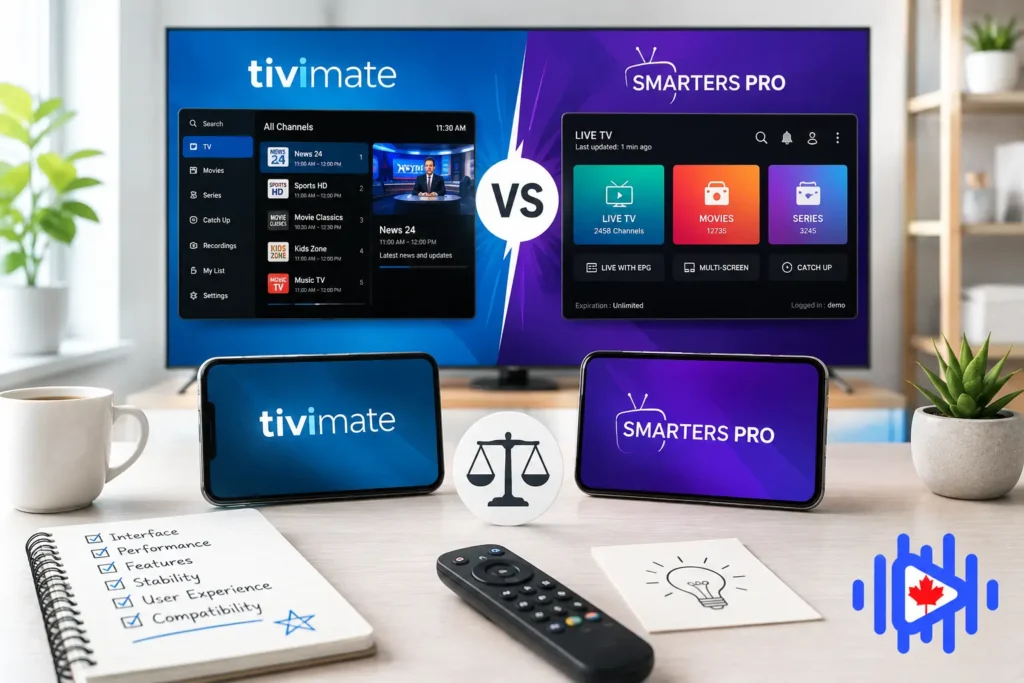
Two apps dominate every conversation about finding the best IPTV player for Canadian subscribers. TiviMate and IPTV Smarters Pro have very different strengths, and the wrong choice for your specific setup produces a noticeably worse experience than the right one. This is a real head-to-head comparison based on actual Canadian usage.
What These Apps Actually Are
This is the clarification that every comparison guide should open with because it prevents a lot of confusion. TiviMate and IPTV Smarters Pro are best IPTV player applications. They do not provide any channels. They do not include any subscription. They are the interface layer between your IPTV Canada subscription and your television screen. Your provider delivers the streams. The player organizes and displays them.
The analogy that actually works: your IPTV provider is like a cable company delivering signal to your home. TiviMate and Smarters Pro are the television sets in your living room. Both televisions receive the same signal. The difference is in how they display it, how they let you navigate it, and what features they add on top of the raw stream. Choosing the best IPTV player is entirely separate from choosing a provider, and both decisions matter.
For finding a provider to use alongside whichever player you choose, the best IPTV player experience always starts with a quality Canadian provider. The player cannot compensate for a bad stream source, and a bad player can ruin a good stream source. Both sides of the equation matter.
Neither app works without an IPTV subscription. You need an active subscription from a provider before either player shows you a single channel. Once you have that, both apps accept the same credential types: an M3U URL or Xtream Codes login (server address, username, password). Setup is nearly identical for the initial connection regardless of which player you choose.
Interface Philosophy: Cable Guide vs App Dashboard
The interface difference between these two apps is not cosmetic. It reflects fundamentally different assumptions about how people navigate live television, and which approach suits you depends directly on what you are used to.
IPTV Smarters Pro opens to a dashboard with large, clearly labeled tiles: Live TV, Movies, Series, Catch Up. You tap the category you want, navigate to the channel or title, and play. Every content type is organized by category in a way that mirrors how Netflix or Amazon Prime Video present their libraries. If you spent the last ten years on subscription streaming services and are new to IPTV, Smarters Pro is immediately familiar. The learning curve approaches zero.
TiviMate opens to a live channel grid. You see a matrix of channels on the left and their current and upcoming programming to the right, exactly like the guide overlay on a traditional cable box. If you came from cable or satellite television and miss being able to scan what is on across dozens of channels simultaneously, TiviMate feels like coming home. If you have never used a cable TV guide layout, there is a brief adaptation period before it feels natural.
Neither interface is objectively better. They solve different navigation styles. If you think in categories (I want to watch movies), Smarters Pro’s dashboard structure is more efficient. If you think in channels (I want to see what is on right now across all my sports channels), TiviMate’s grid EPG view is dramatically faster. Knowing which describes you settles this question before you even install either app.
EPG: The Single Biggest Difference Between These Players
The Electronic Program Guide is where the gap between TiviMate and Smarters Pro becomes most significant for daily use, and it is the reason experienced best IPTV player users tend to gravitate toward TiviMate once they have used both. EPG is the TV guide functionality that shows you what is playing now and what is coming up. Without it, navigating a large channel list is like channel-surfing blind.
TiviMate’s EPG is the best available in any IPTV player application as of 2026. It loads faster, displays more information simultaneously in the grid view, handles multi-day scheduling accurately, includes a search function that queries across all channels by program name, and supports reminders that alert you before a show starts. The catch-up integration within the EPG is also cleaner than any alternative: you navigate backward in the guide timeline and select a past program to start watching it immediately, without leaving the guide interface.
Smarters Pro’s EPG works, but it shows its limitations under the same usage. The guide loads more slowly on large channel lists, the multi-day view is less polished, and the program search is absent in most versions. For casual viewers checking what is currently airing on a few channels, the difference is minor. For anyone who relies on the program guide the way cable TV users do, the difference is substantial.
This EPG quality difference is particularly relevant for Canadian sports viewers, because navigating which TSN or Sportsnet feed has the specific game you want to watch requires quickly comparing what is on multiple channels simultaneously. TiviMate’s grid view makes this a two-second process. Smarters Pro requires opening each channel individually to check. After organizing your channels with TiviMate, our channel organization guide covers the advanced favorites and group setup that turns the EPG view into a personalized TV guide showing only the channels you actually watch.
Real Performance Data: What Testing Actually Shows
Testing both apps on identical hardware with identical provider credentials across multiple devices produces consistent results. The performance gap is real and matters most on the devices most Canadian subscribers use.
On a Firestick 4K Max (the most popular dedicated IPTV device in Canada), TiviMate switches channels in 1 to 2 seconds. Smarters Pro on the same device takes 2 to 4 seconds for the same operation. That sounds minor but during sports viewing when you flip between Sportsnet feeds tracking multiple games, the cumulative difference adds up to a noticeably different experience. TiviMate was built specifically for Android TV and Fire TV devices. Smarters Pro was built as a cross-platform app, and the Fire TV experience reflects that it was not the primary design target.
On a Firestick 4K Plus, the gap is similar. On the Nvidia Shield (the most powerful Android TV streaming device), both apps perform faster in absolute terms but TiviMate maintains its relative advantage. The Firestick compatibility considerations and device choice context are covered in our Amazon box IPTV and Firestick 4K Plus compatibility guide.
On lower-powered devices, Smarters Pro sometimes performs better than expected because its lighter interface makes fewer demands on the hardware. On a basic Android box with 2GB RAM and a slow processor, TiviMate’s richer interface can actually lag more than Smarters Pro’s simpler one. If your device is underpowered, test both before assuming TiviMate will be faster on your specific hardware.
TiviMate Premium: Deep Dive
TiviMate earned its reputation as the best IPTV player for Android TV and Fire TV devices through consistent investment in the features that serious viewers actually use. The EPG grid is the anchor, but the premium version adds functionality that changes how you interact with live television in genuinely useful ways.
DVR recording is TiviMate Premium’s most significant exclusive feature. You can record live TV to a USB drive connected to your streaming device, schedule recordings up to 30 days in advance from the EPG guide, and set recurring recordings for series. This is a capability that no other major IPTV player application offers at a comparable price point. For anyone who used to rely on a PVR with cable and misses time-shifting, this feature alone justifies the subscription cost.
Multiple favorites lists represent another feature that sounds simple but changes daily use meaningfully. You can create a “Sports” favorites group, a “Daily” favorites group, and a “Kids” favorites group, each accessible from a separate tab in the guide view. This is far more efficient than a single long favorites list mixed with everything, and it is not available in Smarters Pro.
- Best EPG of any IPTV player
- DVR recording to USB
- Multiple favorites groups
- Channel switching 1 to 2 sec
- Multi-view for 4 channels
- EPG program reminders
- Hardware H.265 decoding
- Android/Fire TV only
- No iOS, no Apple TV
- Not in Amazon App Store
- Requires sideloading
- $10/year after free trial
- Per-device licensing
The platform limitation is the one thing TiviMate cannot overcome. It runs exclusively on Android TV, Android boxes, Fire TV devices, and Nvidia Shield. There is no iOS version, no Apple TV version, and no web player. If your household uses a mix of devices and you want a consistent experience across all of them, TiviMate forces you to use a different app on your non-Android devices. The 4K capabilities are relevant here too: our guide on 4K and 8K IPTV in Canada for 2026 covers how TiviMate’s fine-tuned buffer settings make it particularly strong for high-resolution IPTV content.
IPTV Smarters Pro: Deep Dive
IPTV Smarters Pro wins on one criterion so decisively that it becomes the automatic recommendation for a significant slice of subscribers: it runs everywhere. Android phone, iPhone, iPad, Fire TV, Android TV box, Windows PC, Mac, it works on all of them. The same credentials, the same playlist, the same familiar interface regardless of which device you pick up. For households where different family members watch on different devices, this cross-platform consistency is practically irreplaceable.
The VOD organization in Smarters Pro is also genuinely better than TiviMate’s. Smarters separates live channels, movies, series, and catch-up content into distinct sections with dedicated browsing interfaces for each. The series tracking, where the app remembers which episode you left off on, is a feature that TiviMate does not offer. If your IPTV subscription includes a large VOD library and you watch a lot of on-demand content alongside live channels, Smarters Pro handles that workflow more naturally.
- iOS and Android included
- Completely free base version
- Best VOD organization
- Series episode tracking
- Familiar dashboard layout
- Windows and Mac support
- Easy first-time setup
- No DVR recording
- Slower channel switching
- Weaker EPG on large lists
- No multi-favorites groups
- Interface lags on large playlists
- No program recording
For iOS users specifically, Smarters Pro is one of only a handful of functional IPTV players available through the App Store process. Our guide to the best IPTV apps for iPhone and iPad covers the full iOS landscape, but Smarters Pro consistently appears at the top because it handles Xtream Codes authentication reliably and the mobile interface is better optimized for touch navigation than most alternatives.
Head-to-Head: Every Feature That Matters
Canada-Specific Considerations
A few aspects of the best IPTV player decision are specific to the Canadian context that general comparisons do not address.
ISP throttling and buffer settings
Bell and Rogers throttle streaming traffic during peak evening hours, which affects the IPTV player experience regardless of which app you use. However, TiviMate’s buffer configuration options give you more precise control over how the player handles brief bandwidth reductions. Increasing the buffer in TiviMate absorbs the short throttle events that happen when Bell’s traffic management kicks in, reducing visible stutter without requiring a VPN. Smarters Pro has a buffer setting too, but it is less configurable. The full context on ISP throttling is in our guide on ISP blocking and throttling in Canada for 2026.
French-language channel navigation
Quebec subscribers using both English and French channels benefit from TiviMate’s multiple favorites groups more than any other user segment. Creating a “French Sports” group (RDS, TVA Sports, Ici Radio-Canada) and a separate “English Sports” group (TSN, Sportsnet) and switching between them instantly is significantly more efficient than scrolling through a single merged favorites list. This use case represents exactly what TiviMate’s organizational tools were designed for.
The Firestick prevalence factor
Most Canadian cord-cutters use a Fire TV Stick, which means most are on Android-based hardware that can run TiviMate. The iOS exclusivity issue that makes Smarters Pro necessary for iPhone/iPad users is not relevant for the household’s primary viewing device in most cases. If your main IPTV device is a Firestick and your phone needs are secondary, the platform limitation argument for Smarters Pro weakens considerably.
Install TiviMate Premium on your Firestick or Android TV box as the primary viewing interface. Install Smarters Pro (free) on your iPhone or Android phone for mobile viewing. Both apps use the same credentials simultaneously without using extra connection slots on most subscriptions. You get the best IPTV player experience on your television and a functional mobile option at no additional cost beyond TiviMate’s $10 per year subscription.
Which Is the Best IPTV Player for You?
- Firestick or Android TV box as your primary device: TiviMate Premium. The channel switching speed, EPG quality, and DVR capability make it the clear best IPTV player for these devices. The $10/year cost is the cheapest meaningful software upgrade in IPTV.
- iPhone or iPad as your primary screen: IPTV Smarters Pro. TiviMate is not available on iOS. Smarters Pro is a capable and free option that works well on iOS devices. Our iOS IPTV app guide covers the full Apple device context.
- Multi-device household (TV box + phone): TiviMate on the TV, Smarters Pro on mobile. Both accept the same credentials. This combination gives you the best experience on each device type without compromise.
- New to IPTV, not sure if you will stick with it: Start with Smarters Pro. It is free, works on any device you own, and is easier to configure for a first-time test. If you find you use IPTV daily, upgrade to TiviMate on your main device within the first month.
- Sports-focused Canadian viewer: TiviMate, for the EPG grid and multiple favorites groups. Being able to see what is on across all sports channels simultaneously, and having separate favorites groups for hockey, football, and international sports, directly improves the sports viewing experience in ways Smarters Pro does not.
- Heavy VOD user (movies and series): Smarters Pro has a small edge here. The series tracking, dedicated VOD sections, and cleaner movie browsing interface make it slightly better for on-demand content navigation than TiviMate.
The bottom line on selecting the best IPTV player for Canadian subscribers in 2026 is that TiviMate wins on performance and features for Android/Fire TV users, Smarters Pro wins on accessibility and multi-platform reach, and most households benefit from using both simultaneously. Neither is the definitively correct answer for every situation, which is why the question about which is best keeps coming up in communities year after year.
According to testing data compiled by IPTVProvider.me’s 2026 comparison, TiviMate consistently scores higher on EPG quality, performance, and feature depth, while Smarters Pro leads on device compatibility and ease of initial setup. Both findings align with what Canadian users report in community threads.
Whichever best IPTV player you choose, the experience depends as much on your provider as on the app itself. For finding and evaluating Canadian IPTV providers that work well with both apps, the best IPTV player setup is only complete when it is paired with a provider that actually delivers stable, quality streams. The app is the interface. The provider is the content. Both need to work for the experience to deliver what you are looking for.