


What is an IPTV Box and Do You Really Need One?
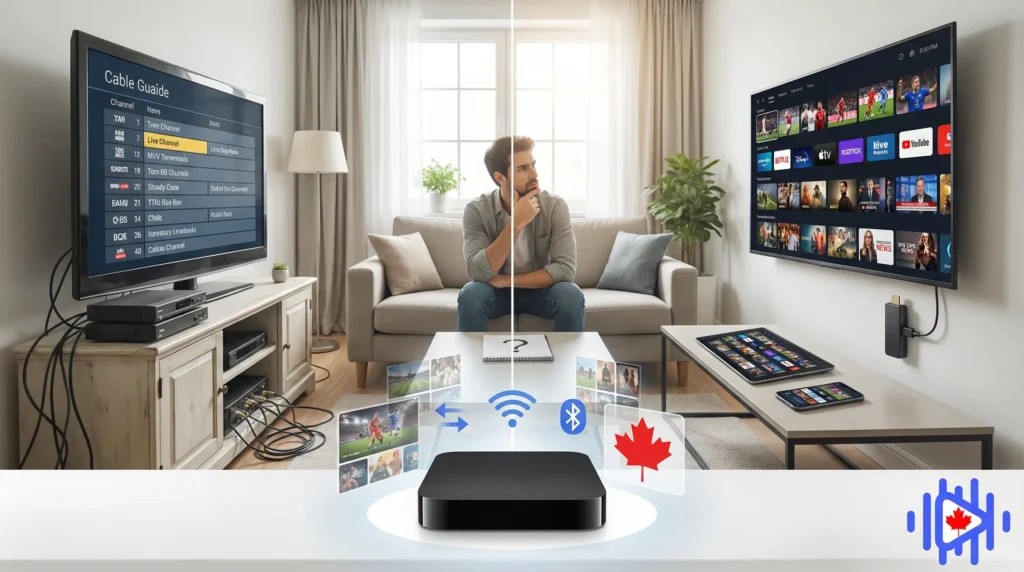
A plain-language breakdown of what an IPTV box actually is, how it differs from a streaming stick or smart TV, and whether buying one makes sense for your situation. No jargon, no sales pitch.
The term gets thrown around a lot. Someone in a Facebook group tells you to “just get an IPTV box.” A friend says their cable bill dropped by 80% after switching to IPTV. You search it up, find five contradictory answers, and close the tab slightly more confused than when you started. That experience is more common than it should be.
Here is the honest version. IPTV stands for Internet Protocol Television. It is the delivery of television content over your internet connection instead of through a cable line, satellite dish, or antenna. The “box” in question is one of several types of hardware you can use to receive and display that content on your TV. Some people use a box. Others use a stick. Others use nothing at all because their smart TV already handles it. The hardware is only one piece of the equation.
This guide covers what an IPTV box is in concrete terms, how it actually works, how it compares to the alternatives, and who genuinely needs one versus who can skip it entirely. If you are trying to replace or reduce your cable subscription and wondering whether a dedicated device is worth buying, this is the right starting point.
Throughout this guide, “IPTV box” refers specifically to a dedicated hardware device running a streaming OS, whether Android-based or Linux-based like a MAG unit. Streaming sticks and smart TVs can also run the relevant apps, but they are treated separately in the comparison sections below.
What IPTV Actually Is
Before the box makes sense, the underlying technology needs to. IPTV delivers television channels the same way your browser delivers a webpage: as data packets over an IP network. When you watch a channel through an IPTV service, your device is receiving a continuous stream of compressed video data from a remote server, decoding it, and displaying it on your screen in real time.
The difference from Netflix or YouTube is that IPTV is mostly live. You are watching the same broadcast at the same time as everyone else on that channel, rather than selecting something from a library on demand. Some IPTV services also include catch-up and video on demand, but the live broadcast component is what distinguishes it from pure on-demand streaming.
Technically, you have probably already used a form of IPTV. Telus Optik TV and Bell Fibe TV in Canada both run over internet infrastructure. The difference is that those are regulated services operating over proprietary networks built by the provider. Third-party IPTV services, by contrast, deliver content over the public internet using standard protocols anyone can implement.
IPTV is just live TV over the internet. The same channel lineup you were paying $120 a month for through your cable provider can, in many cases, be accessed through an IPTV subscription at a small fraction of that cost. The quality depends on your internet connection and the provider you choose, not on whether a technician ran a coax cable to your house.
According to a 2024 analysis by Statista, Canadian pay-TV subscriptions have declined steadily since 2019 as households shift toward internet-based alternatives. IPTV has absorbed a significant portion of that migration, particularly among households looking to maintain access to live sports and local channels.
What an IPTV Box Is
An IPTV box is a physical device that connects to your television and to your home network, then handles the work of receiving, decoding, and displaying IPTV streams on your screen. Think of it as a computer built specifically for this purpose, without a keyboard, without a screen of its own, and without anything you do not need for watching TV.
Most of these devices ship with a remote, an HDMI port for connecting to your TV, ethernet and WiFi for connecting to your network, and either Android TV or a stripped-down Linux OS running underneath. Some include Bluetooth for external keyboards or controllers. Very few include anything you actually need beyond what is listed above.
A dedicated processor handles video decoding, including H.265 and 4K content, without leaning on your TV’s own chip. This matters for smooth playback on higher-quality streams.
Most boxes support both wired ethernet and WiFi. Wired is almost always better for live streaming because it eliminates the packet loss that causes buffering on wireless connections.
Android-based boxes let you install any player app, and most also run standard apps like YouTube or Plex. MAG-style boxes are more locked down but simpler to operate.
Unlike streaming sticks, most dedicated boxes include internal storage of 8 GB to 64 GB. Some support external USB drives for storing recordings if your service or app supports it.
All current devices output over HDMI, with most supporting HDMI 2.0 for 4K at 60 Hz. Some older or budget units include composite AV ports for older televisions.
A dedicated box runs independently of any other device in your house. It is always on, always connected, and does not require a phone or laptop to function as a middleman.
The key thing dedicated hardware offers over alternatives is stability and purpose. It is not multitasking. It is not running background sync processes or pushing app updates while you are watching something. When you turn it on, it loads the channel interface. That narrow focus tends to result in more consistent performance, especially for live streams where interruptions are more disruptive than they would be during an on-demand video.
How the IPTV Box Works
The workflow is simpler than people expect. Your box connects to your home network. Your streaming app on that box connects to your provider’s servers using the credentials from your subscription. Those credentials authenticate your account and return a playlist, which is a structured file containing the addresses of all your channels. The app reads that playlist and displays your channel list. When you select a channel, the app fetches the stream from the relevant server and your box decodes it for display on your TV.
The box connects to your home network via ethernet or WiFi. All content travels through this connection, so its quality directly affects stream stability. Providers host their channel streams on CDN-distributed servers designed to handle concurrent users, but your local connection is the last mile that neither they nor you can optimize around.
Your app sends your credentials to the provider’s authentication server. The server verifies your subscription is active and returns your playlist, either as an M3U file or as a response to an Xtream Codes API call. This happens automatically in the background each time the app loads.
When you select a channel, your box requests that stream from the provider’s server. The server responds with a continuous video stream encoded in a standard format, typically H.264 or H.265. Your box’s processor decodes that stream and sends the resulting video to your TV through the HDMI connection.
Alongside channel streams, most IPTV setups pull EPG (Electronic Program Guide) data from a separate source. This is what populates the on-screen program guide showing current and upcoming shows. It loads separately from the streams and updates on its own schedule, typically every 12 to 24 hours.
The whole system depends on two things working well: your internet connection delivering enough speed with low enough latency, and your provider’s servers handling the load during peak hours. Most problems people attribute to their box are actually one of those two things behaving poorly. The box itself is rarely the issue.
For a deeper look at the full technology stack behind IPTV, the complete IPTV guide covers everything from encoding formats to CDN architecture.
Box vs. Streaming Stick vs. Smart TV
This is probably the most practically useful comparison for most people trying to decide what to buy. These three options all do the same core job: they let you watch IPTV on your TV. Where they differ is in hardware capability, flexibility, cost, and how hands-on you need to be during setup.
| Feature | Box | Streaming Stick | Smart TV |
|---|---|---|---|
| Processing power | High | Medium | Varies |
| Wired ethernet | Most models | Adapter needed | Usually yes |
| App flexibility | High (Android) | Medium | Platform-dependent |
| 4K support | Most models | Higher-end only | Depends on TV |
| Cost | $50 to $200 | $35 to $70 | $0 extra if owned |
| Setup complexity | Moderate | Low | Low |
| Dedicated focus | Yes | No | No |
When dedicated hardware makes more sense
If IPTV is going to be your primary source of television, a dedicated box makes more sense than a stick or relying on a smart TV’s app ecosystem. The processing headroom matters when you are jumping between channels frequently. Wired ethernet matters when you want live sports to not buffer at the worst moments. And the app flexibility of Android-based devices means you are not locked into whatever the manufacturer decided to support.
For a full setup walkthrough once you have your hardware, the IPTV box setup guide goes through the full installation from unboxing to your first channel, regardless of which box you end up with.
When you can skip the dedicated box
If you already own a recent Samsung or LG smart TV, or if you have a Fire Stick or Apple TV in your living room, you probably do not need to buy additional hardware. The apps available on those platforms are capable enough for most use cases. The gap between the two narrows considerably once you move off the extreme budget end of the box market. Our smart TV IPTV setup guide covers how to get this running on Samsung and LG televisions specifically.
Smart TV operating systems (Tizen on Samsung, webOS on LG) update on their own schedule, and those updates sometimes break IPTV apps without warning. A dedicated Android box gives you more control over when and whether you update the OS, which matters if you have a working setup you do not want disrupted.
Do You Actually Need One?
Honest answer: it depends on what you already own and how seriously you plan to use IPTV. There is no single right answer here. The question is really whether buying dedicated hardware solves a problem you actually have, or whether you are just buying something because it sounds like the “proper” way to do it.
- Want IPTV as your main TV source, replacing cable entirely
- Watch a lot of live sports where buffering is especially frustrating
- Have an older TV with no smart features
- Want to use wired ethernet for the most stable connection possible
- Want full control over app selection and OS updates
- Plan to use a MAG-style portal setup rather than an app
- Already have a recent smart TV or capable streaming stick
- Only want IPTV occasionally alongside other streaming services
- Are testing IPTV for the first time and unsure about it
- Have a tight budget and need to minimize upfront hardware cost
- Are not comfortable with slightly more involved setup steps
If you are testing IPTV for the first time, buying a dedicated box before you know whether you like the service is putting the cart before the horse. Start with whatever device you already have. If the experience is solid and you find yourself wanting more stability or features, then invest in hardware. The box is not what makes IPTV work. The IPTV services and your internet connection do most of the work.
For a side-by-side look at what you are actually saving by switching to IPTV versus staying with traditional cable, the IPTV Canada vs. cable TV comparison lays out the numbers in plain terms.
Types of IPTV Boxes Explained
Not all boxes work the same way. There are two main categories, and the difference between them affects how you set things up, how much flexibility you have afterward, and what happens if something goes wrong.
Android TV Boxes
These are the most common type sold today. They run Android TV or standard Android and behave much like a smartphone or tablet: you install apps from the Play Store (or sideload them), configure them with your credentials, and use them like any Android app. Devices like the Nvidia Shield, Formuler Z11, Ugoos AM7, and various no-name Chinese units all fall into this category at different price points.
The advantage is flexibility. Any streaming app that runs on Android works on these boxes. You can switch providers by just changing credentials inside the app. You can install a different app entirely if you prefer one player over another. You can also run non-IPTV apps. Most people who use the service seriously end up on Android-based hardware for exactly these reasons. The Formuler Z11 and MAG box setup guide covers both types in detail.
MAG-Style Linux Boxes
MAG boxes run a stripped-down Linux OS and connect to live TV through a “portal URL” system rather than a traditional app. You enter the portal address in the box settings, and the box connects directly to your provider’s portal interface, which handles authentication and channel presentation.
These are simpler to set up because there are fewer configuration steps and fewer things to go wrong. They are also less flexible: you cannot install a different app if you do not like the portal interface, and switching providers sometimes means dealing with a portal that does not work well with every device. MAG boxes were popular before Android TV became dominant, and they still have a user base among people who prefer their straightforward operating approach.
Hybrid Boxes
Some manufacturers, including Formuler, make boxes that run Android but also include a dedicated portal system. The Formuler Z11, for instance, boots into a clean interface called MyTVOnline2 by default but also gives you full Android underneath. You get the simplicity of a purpose-built streaming interface with the fallback option of installing other apps when you need to. For most people, a hybrid device like this is the best of both categories.
The market for these devices includes a large number of unbranded units sold at very low prices. Some of these work fine. Others ship with outdated Android versions that cannot run current app versions and never receive security updates. If you are buying a generic box, look specifically for one running Android 9 or later with a confirmed chipset capable of H.265 hardware decoding. The chip matters more than the brand name on the box.
IPTV Boxes in the Canadian Context
Using live TV streaming in Canada comes with a few considerations that are less relevant in other markets. The Canadian broadcasting ecosystem has a mix of English and French content obligations, regional sports rights that get complicated, and ISPs who are known to throttle video streaming traffic more aggressively than in some other countries.
For Canadian viewers, a good IPTV Canada setup means three things: stable access to local Canadian channels (CTV, Global, CBC, City), sports coverage that includes both NHL and the regional Sportsnet feeds, and for Quebec residents specifically, reliable French-language channel access including TVA, V, RDS, and Ici Radio-Canada. A provider that does well for an Ontario viewer may perform poorly for someone in Quebec, or vice versa, simply because the channel mix differs.
ISP throttling and what to do about it
Several Canadian ISPs, including some major ones, selectively reduce bandwidth for video streaming traffic during peak hours. This looks like buffering that appears only in the evenings, clears up after midnight, and does not show up on standard speed tests because the throttling is protocol-specific rather than bandwidth-wide.
A VPN encrypts your traffic before it leaves your device, making it difficult for your ISP to identify it as streaming and apply targeted throttling. This is a known, documented solution to a known, documented problem in the Canadian streaming context. Whether you need it depends on your specific ISP and location. Our article on whether you need a VPN for IPTV in Canada covers how to tell if this is affecting you and what to do about it.
Quebec-specific considerations
Viewers looking for Quebec IPTV access need to verify French-language coverage before committing to any subscription. Not all providers give French-language channels the same depth of coverage they give English channels. Specifically, look for RDS (for hockey), TVA Sports, TVA Nouvelles, Ici Radio-Canada Tele, and V. Some providers include all of these; others carry only a subset or stream them at noticeably lower quality than their English equivalents.
According to research from the CRTC’s 2024 communications monitoring report, French-language television consumption in Quebec remains strong, with live viewing remaining higher than the national average, which reflects why the channel coverage question is not trivial for Quebec-based viewers.
Before purchasing any IPTV box, confirm that the apps you plan to use are supported and available in Canada. Some streaming players are region-locked in the Play Store and need to be sideloaded on Canadian accounts. Android-based boxes give you more flexibility here than MAG devices, which cannot sideload at all.
What to Look for When Buying an IPTV Box
Once you have settled on a dedicated box, the hardware decision has a few key variables that actually matter versus several specs that mostly do not.
Specs that matter
-
H.265 hardware decoding: Also called HEVC. Most providers are currently shifting toward H.265 encoded streams because they deliver better quality at lower bitrates. Hardware without H.265 support will either refuse to play these streams or decode them in software, which causes choppy playback. This is the single most important codec-related spec to check.
-
RAM of at least 2 GB: These apps, especially those that load large channel lists with EPG data, consume more RAM than basic apps. 2 GB is the practical minimum for smooth operation. 4 GB is noticeably better if you plan to keep other apps running in the background.
-
Gigabit ethernet port: Not because you will use gigabit speeds for IPTV, but because 100 Mbps ethernet adapters introduce more latency and drop packets under sustained load. If you are going to wire the box, the port should not be the bottleneck.
-
Android 9 or later: Older Android versions cannot run current versions of the major IPTV apps. Anything below Android 7 is essentially incompatible with the current software ecosystem. Android 9 is the realistic floor; Android 11 or 12 is better.
-
Dual-band WiFi if you cannot run ethernet: 5 GHz WiFi is dramatically more reliable for video streaming than 2.4 GHz in environments with multiple competing devices. If the box only supports 2.4 GHz, you will notice it.
Specs that matter less than you think
Storage size beyond 8 GB makes almost no difference unless you are recording content locally. Clock speed of the processor is less important than which specific chip it is, because some slower chips have better video decoding pipelines than faster ones. Branded versus unbranded matters less than the chip underneath and the Android version on top. A recognized Amlogic S905X4 chip in a no-name box will outperform a generic chip in a branded one.
Choosing the right app for your box
Hardware alone does not determine your streaming experience. The app you use matters considerably. IPTV Smarters Pro, TiviMate, and GSE Smart each handle playlists, EPG, and playback differently. Our guide to the best IPTV apps for Canada in 2026 compares them in practical terms. And if you are at the stage of choosing a provider rather than hardware, the guide on how to choose the best IPTV provider covers what to check before committing to a subscription.
Common Questions Answered
Is a dedicated IPTV box the same as a smart TV box?
Not exactly. A smart TV box, like a Roku or Apple TV, is a general-purpose streaming device designed primarily for on-demand services like Netflix, Prime Video, and Disney Plus. IPTV boxes are either purpose-built for live channel streaming or are Android boxes configured specifically for that use. The hardware can overlap, but the intended primary use is different.
Can I use an IPTV box without a subscription?
An IPTV box is just hardware. Without a provider subscription, it cannot stream any channels. Some boxes come pre-loaded with apps that access free content, but the live channel experience that most people want from IPTV requires a paid subscription. The hardware and the service are separate purchases from separate places.
Will any box work with any provider?
Android-based hardware is compatible with essentially any provider that offers M3U or Xtream Codes access, which covers the overwhelming majority of providers. MAG boxes are slightly more restrictive because they require portal-based access specifically, and not all providers configure this. If you are on a MAG device, verify that your intended provider supports MAG portal connections before subscribing.
Does an IPTV box need to stay on all the time?
No. These devices work fine being powered off when not in use. Most enter a low-power standby mode rather than fully shutting down, which allows them to receive remote updates and wake faster. Full power-off is fine too. Nothing about the service requires the box to maintain a persistent connection when you are not watching.
How many devices can use one IPTV subscription?
This varies by provider. Most subscriptions include one or two simultaneous connections, which means one or two devices can stream at the same time. Some allow more. If you want to stream on a box in the living room and a phone upstairs simultaneously, confirm that your provider’s plan covers multiple connections before subscribing.
The guide on choosing the best IPTV provider in 2026 helps you work through the provider decision systematically once you have your hardware sorted. Start with the hardware question, then the provider question, in that order. Trying to answer both simultaneously is where most people get confused.
The Short Version
An IPTV box is a dedicated device that connects your TV to internet-delivered live television. It is not a requirement for using IPTV, but it is the most capable and stable hardware option for people who plan to use IPTV as their primary television source. For casual use or first-time testing, whatever device you already own is probably good enough to start.
The hardware decision matters less than most guides make it seem. A solid Android box with a good chipset, wired ethernet, and a well-maintained app will outperform a more expensive device running on congested WiFi with an outdated app. Focus on the connection quality and provider reliability first. Then buy hardware proportional to how seriously you end up using the service.
If you are in Canada and looking for an IPTV box that covers both English and French content, regional sports, and local Canadian channels reliably, the provider choice is arguably more important than the box choice. The hardware handles decoding. The provider determines what is actually available to decode. Get both right and the experience is genuinely good. Get the provider wrong and no box, regardless of price, will compensate for it.
